How far should your monitor be from your eyes?
About an arm's length, with the top of the screen at or just below eye level. The distances and angles OSHA, Mayo Clinic and eye care bodies suggest.
New articles by email
One email a week.
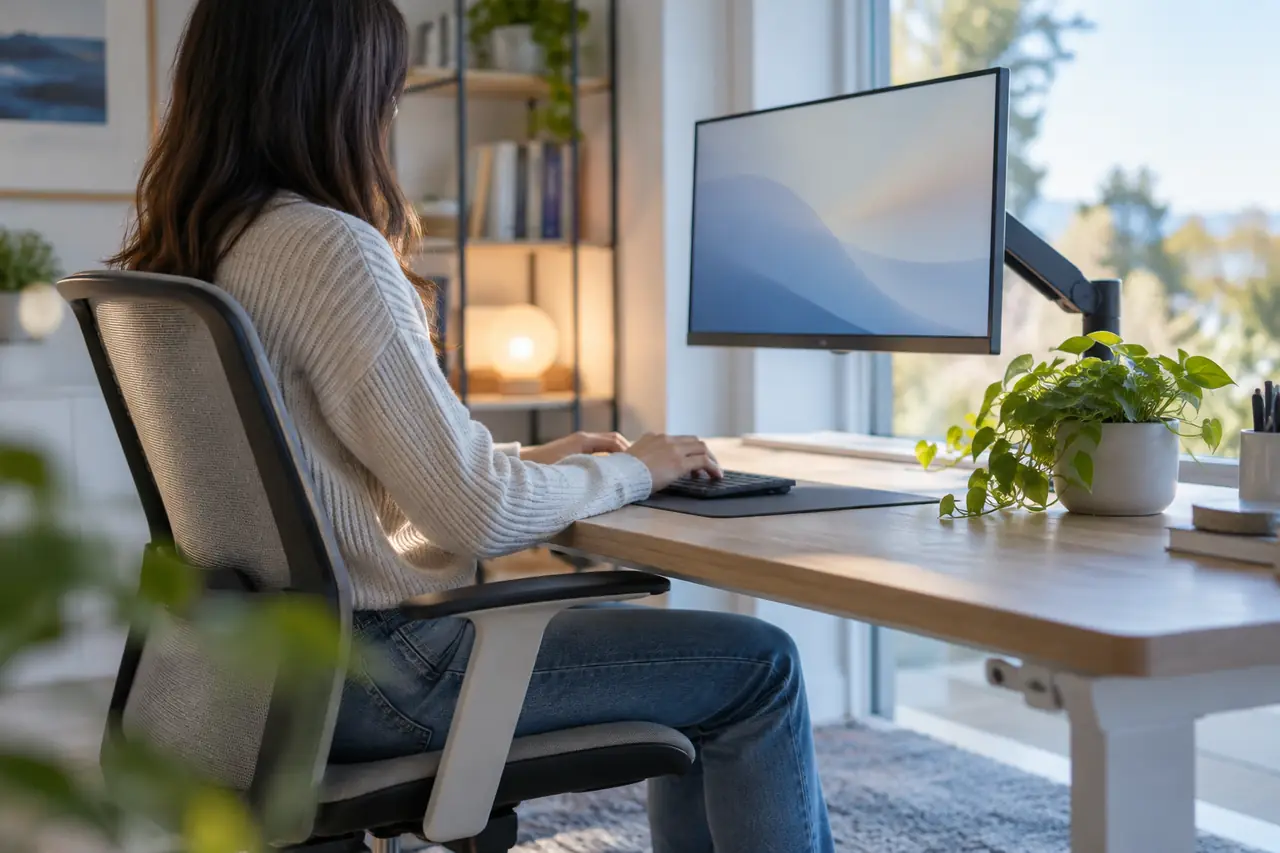
The short answer: about an arm's length. Mayo Clinic suggests keeping your monitor no closer than 20 inches (about 50 cm) and no further than 40 inches (about 100 cm) from your eyes. OSHA, the US workplace safety agency, gives the same 20 to 40 inch range as the preferred viewing distance. The American Academy of Ophthalmology (AAO) suggests sitting about 25 inches away. For the angle, the American Optometric Association (AOA) suggests the centre of the screen about 15 to 20 degrees below eye level.
Distance is only half of it. Height and angle matter too, and they're easy to get wrong on a laptop or a second screen.
If your eyes still feel tired with the screen in the right place, what helps with screen eye strain and whether eye strain can cause headaches cover the next steps, and how to read your glasses prescription explains the numbers if you wear glasses at the desk.
How far should a monitor be from your eyes? The numbers by source
What each organisation suggests, in one table. The ranges overlap: about an arm's length, with the top of the screen at or just below eye level.
| Setting | Suggested | Source |
|---|---|---|
| Distance, eyes to screen | 20 to 40 inches (50 to 100 cm) | OSHA, Mayo Clinic |
| Distance, eyes to screen | About 20 to 28 inches (50 to 70 cm) | American Optometric Association (AOA) |
| Height | Top of the screen at or slightly below eye level | OSHA, Mayo Clinic |
| Angle down | Centre of the screen about 15 to 20 degrees below straight-ahead gaze, roughly 4 to 5 inches below eye level | AOA |
| Tilt | Tilted back no more than 10 to 20 degrees, roughly at right angles to your line of sight | OSHA |
| Side to side | Directly in front of you, not more than 35 degrees to either side | OSHA |
| Bifocals or progressives | Lower the monitor another 1 to 2 inches (about 2 to 5 cm) | Mayo Clinic |
| Gaze | Eyes looking slightly downward rather than straight ahead or up | American Academy of Ophthalmology (AAO) |
A quick way to check yours
- Sit back in your normal position. Not leaning forward, not perched on the edge of the chair.
- Reach out an arm. If your fingertips touch the screen, it's in the right area. If you can lay your palm flat on it, it's probably too close.
- Look straight ahead. Your gaze should land on the top edge of the screen or just above it. If you're looking at the middle or the bottom bezel, the screen is too low. If you have to tip your chin up, it's too high.
- Read a line of normal text. If you find yourself leaning in, make the text bigger. OSHA notes that text may need enlarging on smaller monitors. Moving the screen closer usually brings back the leaning.
To turn these numbers into inches or centimetres for your own screen, the free monitor distance calculator takes your screen size and desk depth and shows the distance range and where the top edge should sit.
Why gazing slightly down helps
The AAO suggests positioning the screen so your eyes look slightly downward rather than straight ahead or up, and the NHS suggests a screen just below eye level for people with dry eyes. Many people find their eyes feel less dry that way. Our post on dry eyes at work covers this and other desk changes.
Laptops, two screens and bifocals
Laptops
A laptop screen is attached to its keyboard, so it almost always sits too low when you type on it. If you use a laptop for hours each day, a stand that lifts the screen plus a separate keyboard lets you set height and distance independently. A pile of books does the same job.
Two monitors
Put the screen you use most directly in front of you. If you use both equally, place them so the join sits in front of your nose. Either way, keep both at roughly the same distance and height, so your eyes don't have to refocus each time you switch.
Bifocals and progressive lenses
If you read through the lower part of your lenses, you may find yourself tilting your head back to see the screen. Mayo Clinic suggests lowering the monitor another 1 to 2 inches (about 2 to 5 cm). OSHA also mentions single-vision lenses made for computer distance as an option. An optometrist can tell you whether that suits your prescription.
Distance isn't the whole story
A well-placed screen can still feel tiring if the rest of the setup works against it. The AOA and AAO also point to:
- Glare. Keep the screen away from windows and overhead lights that reflect in it. See screen glare and brightness at your desk.
- Brightness. Match screen brightness to the room around it.
- Breaks. The AOA mentions the 20-20-20 rule and resting your eyes for 15 minutes after two hours of continuous computer use.
- Up-to-date glasses. The AOA notes that even small uncorrected vision problems can matter for screen work.
If you want a nudge for breaks, the free 20-20-20 timer on this site runs in a browser tab.
When to see someone
Book an eye test with an optometrist if:
- You still lean in or squint at the screen after making the text bigger
- Your eyes feel strained or your vision is blurry by the end of most working days
- You need to tilt your head to find a clear part of your glasses
- You get frequent headaches around screen work
Tell them how far away your screen is and how many hours you spend at it. That helps them suggest glasses for the right distance.
Read more by topic
Common questions
How far should a monitor be from your eyes?
Mayo Clinic and OSHA suggest 20 to 40 inches (about 50 to 100 cm) from your eyes to the screen. The American Academy of Ophthalmology suggests about 25 inches, roughly an arm's length. If text looks small at that distance, make the text bigger rather than moving closer.
Should the top of the monitor be at eye level?
Yes, or slightly below. OSHA and Mayo Clinic both suggest the top of the screen at or slightly below eye level, so that you look a little downward at the middle of the screen, about 15 to 20 degrees below straight ahead.
How many degrees below eye level should a monitor be?
The American Optometric Association suggests the centre of the screen about 15 to 20 degrees below your straight-ahead gaze, roughly 4 to 5 inches (10 to 13 cm) below eye level. Most people read comfortably looking slightly down.
What is the best distance between your eyes and the monitor?
About an arm's length: 20 to 40 inches (50 to 100 cm) according to OSHA and Mayo Clinic, or about 20 to 28 inches according to the AOA. The free Ocufuse monitor distance calculator turns this into a range for your own screen size.
Is it bad to sit too close to a computer screen?
Sitting close won't damage your eyes, but it can make them work harder and feel tired. If you find yourself leaning in, increase the text size or zoom, and check whether your glasses suit the distance you work at.
What if I wear bifocals or progressives?
Mayo Clinic suggests lowering the monitor another 1 to 2 inches (about 2 to 5 cm) so you don't tip your head back. OSHA also mentions single-vision lenses made for computer distance. An optometrist can advise on your prescription.
Sources
End of article