


Product reviews
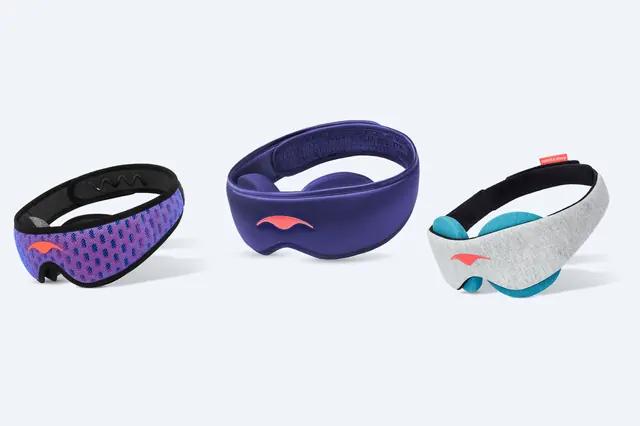
Manta Sleep Mask review: we tried the PRO, SILK and COOL
An honest, hands-on Manta Sleep Mask review. We slept in the PRO, SILK and COOL: how each fits, blocks light and feels for side sleepers, and which to buy.
8 min read
Free in your browser
More
Plus gamesPlusTurning E, Faint E, Track and spotFor gamersReaction, aim and tracking rounds with a Start Lights game on the pageFor sportsShort reaction and tracking rounds for a warm-up.For screen workScreen breaks, a focus timer and an eye journal.Screen breaksA break timer, a far view and calm one-minute gamesPrograms7, 30 and 90-day programs. The 7-day ones are free.All gamesEvery free game in one placeSee the gamesFree in your browser
Latest articles
An honest, hands-on Manta Sleep Mask review. We slept in the PRO, SILK and COOL: how each fits, blocks light and feels for side sleepers, and which to buy.
Rub and rinse the case with fresh solution, never water, dry it and leave it upside down with the caps off. Replace it at least every three months.
Mostly, you get better at the games. A large 2016 review found little evidence the gains carry over to work, school or everyday memory.
A free memory game for a short screen break. Tiles light up one after another; tap them back in the same order. Each round adds one more. No download.
Loading the game...
Visual Memory is in the Ocufuse app too, with your scores saved to your account. Play Visual Memory in the app
Ocufuse games are for fun and screen breaks. They are not a vision test and do not diagnose or treat any condition. See an eye care professional for any concerns.
Rounds start with two tiles on a 3 by 3 grid. From six tiles the grid grows to 4 by 4, and the tiles light up a little faster as the sequence gets longer. Your score is the longest sequence you repeat. Your best score is saved in this browser.
Yes. It's free to play as often as you like in any browser, with no download.
No. It's a game for fun and screen breaks. A score depends on focus, tiredness, screen size and practice, and it says nothing about your memory or your eyes. If you're worried about your memory or your vision, talk to a doctor.
Your score is the longest sequence you repeat correctly. You start with two tiles, each correct round adds one, and after six tiles the grid grows from 3 by 3 to 4 by 4. You have three lives.
Yes. On the 3 by 3 grid, the number keys 1 to 9 match the tiles like a phone keypad. Tab and Enter work on any grid. Press P or Escape to pause, and F for full screen.
Ocufuse Plus unlocks 38 more visual games in the app, your full history and the Doctor Brief. From $5.42 a month, billed yearly.
Swapping a laptop for a phone isn't much of a break. Simple things to do in 20 seconds, 5 minutes or 15 minutes away from the screen.
Short and often beats long and rare. What workplace and eye care guidance says about screen breaks, with an example hour.
Long gaming sessions can leave eyes tired, dry and blurry. What an AOA survey found, and practical habits for distance, light and breaks.
The 20-20-20 rule is one of the most repeated pieces of screen advice. A small study tested it with break reminders. Here is what changed, what didn't, and what it means for your day.
Most adults blink about 15 times a minute, far less at a screen. What blinking does, what research found about screens, and simple habits.
The educational activities make it a bit more engaging. Definately appreciate having something interactive alongside the reading.
Small thing, but I appreciate how readable everything is. Clear buttons, decent spacing and no digging through endless menus.
The layout is clean and doesnt feel overwhelming. Took me a little while to explore everything, but navigation feels straightforward.
The star rating comes from 100 reviews. The quotes are 10 written reviews people agreed to share, word for word.