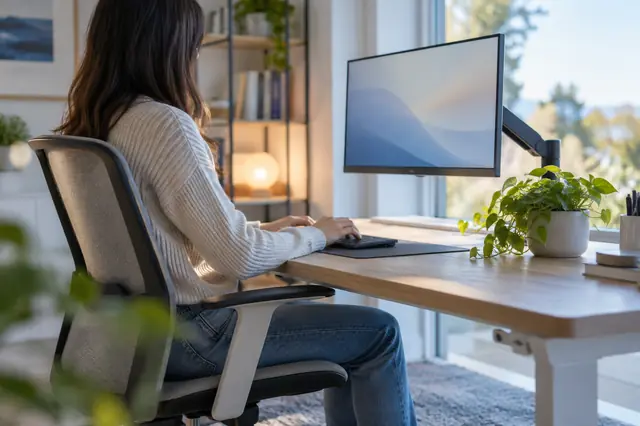
The short answer: sit about an arm's length from your monitor, 20 to 40 inches (50 to 100 cm) from your eyes, with the top of the screen at or slightly below eye level (OSHA, Mayo Clinic).
How the calculator works
- Choose the screen: the one you're reading this on, or another one.
- Find its size. On this screen the browser reads the resolution and suggests devices with the same screen. You can also pick your laptop from the list, measure with a tape, match a bank card on the screen or choose a common size.
- Add your desk depth if you like, and whether you wear bifocals or stand.
- See the distance, the height of the top edge and the centre of the screen, drawn to scale. Copy the result or share the calculator.
How to check your setup
- Sit back in your normal position, not leaning forward.
- Measure from your eyes to the screen, or reach out an arm: your fingertips should be about at the screen.
- Look straight ahead. Your gaze should land on the top edge of the screen or just above it.
- Read a line of normal text. If you lean in, make the text bigger instead of moving the screen closer.
The numbers behind the calculator
| What | Guidance | Source |
|---|---|---|
| Distance | 20 to 40 inches (50 to 100 cm) from your eyes | OSHA, Mayo Clinic |
| Distance | About 25 inches, roughly an arm's length | American Academy of Ophthalmology |
| Top of the screen | At or slightly below eye level | OSHA, Mayo Clinic |
| Centre of the screen | 15 to 20 degrees below horizontal eye level | OSHA |
| Tilt | Back no more than 10 to 20 degrees | OSHA |
| To the side | No more than 35 degrees to the left or right | OSHA |
| Bifocals | Lower the screen another 1 to 2 inches (about 2 to 5 cm) | Mayo Clinic |
| Bank card | 85.60 x 53.98 mm, the ID-1 card size | ISO/IEC 7810 |
Where the device sizes come from
Each screen size and resolution in the device list was read from the maker's own spec page. Only devices checked that way are listed.
| Device | Screen | Source |
|---|---|---|
| MacBook Air 13-inch (M2 and later) | 13.6 in, 2560 x 1664 | Maker's spec page |
| MacBook Air 15-inch | 15.3 in, 2880 x 1864 | Maker's spec page |
| MacBook Air 13-inch (M1, 2020) | 13.3 in, 2560 x 1600 | Maker's spec page |
| MacBook Pro 14-inch (2021 and later) | 14.2 in, 3024 x 1964 | Maker's spec page |
| MacBook Pro 16-inch (2021 and later) | 16.2 in, 3456 x 2234 | Maker's spec page |
| iMac 24-inch | 23.5 in, 4480 x 2520 | Maker's spec page |
| Surface Laptop 13.8-inch (7th Edition) | 13.8 in, 2304 x 1536 | Maker's spec page |
| Surface Laptop 15-inch (7th Edition) | 15 in, 2496 x 1664 | Maker's spec page |
| Dell XPS 13 9350, FHD+ screen | 13.37 in, 1920 x 1200 | Maker's spec page |
| Dell XPS 13 9350, QHD+ screen | 13.37 in, 2560 x 1600 | Maker's spec page |
| Dell XPS 13 9350, OLED screen | 13.37 in, 2880 x 1800 | Maker's spec page |
| Dell XPS 14 9440, FHD+ screen | 14.5 in, 1920 x 1200 | Maker's spec page |
| Dell XPS 14 9440, 3.2K OLED screen | 14.5 in, 3200 x 2000 | Maker's spec page |
| Dell XPS 16 9640, FHD+ screen | 16.28 in, 1920 x 1200 | Maker's spec page |
| Dell XPS 16 9640, UHD+ OLED screen | 16.28 in, 3840 x 2400 | Maker's spec page |
| ThinkPad X1 Carbon Gen 12, WUXGA screen | 14 in, 1920 x 1200 | Maker's spec page |
| ThinkPad X1 Carbon Gen 12, 2.8K OLED screen | 14 in, 2880 x 1800 | Maker's spec page |
The full explanation, with laptops, two screens and glasses, is in how far should your monitor be from your eyes. For the rest of the desk, see screen glare and brightness at your desk and dry eyes at work.
A good setup works best with regular breaks. The free 20-20-20 timer reminds you to look away.
Questions
How far should my monitor be from my eyes?
About an arm's length: 20 to 40 inches (50 to 100 cm), according to OSHA and Mayo Clinic, and about 25 inches according to the American Academy of Ophthalmology. Put the top of the screen at or slightly below eye level.
How does the calculator find my screen size?
Your browser can report the screen's resolution in pixels and its shape, but not its size in inches. The calculator uses that to suggest devices with the same screen, and you confirm. If you don't know the model, measure the screen corner to corner, or match a bank card on the screen.
How far should a 27 inch monitor be from my eyes?
The guidance uses one range for every screen size: 20 to 40 inches (50 to 100 cm) from your eyes, according to OSHA and Mayo Clinic, and about 25 inches according to the American Academy of Ophthalmology. OSHA notes that very large monitors increase the viewing angle, which is a reason to use the far end of the range for a big screen.
Should the top of my monitor be at eye level?
At or slightly below it, say OSHA and Mayo Clinic. OSHA puts the centre of the screen 15 to 20 degrees below horizontal eye level. The calculator works out what that means in inches or centimetres for your screen.
What if my desk isn't deep enough?
OSHA suggests a flat-panel display, which takes less depth than an old-style monitor. A monitor arm or moving the desk away from the wall can also add distance. If you use a laptop for long stretches, a stand and a separate keyboard let you set the height and distance on their own.
Does this calculator check my eyes?
No. It applies published ergonomics guidance to the size of your screen. It can't tell you anything about your vision. If you still lean in or squint after making text bigger, book an eye test.
Is anything I enter saved or sent?
No. The numbers are worked out in your browser and are not stored or sent anywhere.
Sources
- OSHA Computer Workstations eTool: Monitors
- Mayo Clinic: Office ergonomics, your how-to guide
- American Academy of Ophthalmology: Computers, digital devices and eye strain
- American Optometric Association: Computer vision syndrome (digital eye strain)
General ergonomics guidance from workplace and eye care organisations, not eye health advice. If your eyes feel strained most days, see an optometrist or eye doctor.